
Licensing
One activation key per purchase, and a single Community key per account. Each key binds to as many clusters as its plan allows, and you can move a slot yourself.
Plans
Every capability is on in every plan. Scanning, signature verification, admission enforcement and evidence packages are complete in Community. What grows is the counts.
| Plan | Clusters | Frameworks | Image names / month, per cluster | Nodes per cluster |
|---|---|---|---|---|
| Community | 1 | 1, your choice | 10 | 1 |
| Team | 1 | 1 | 50 | 6 |
| Business | 3 | 3 | 75 | 10 |
| Enterprise | 5 | all thirteen | 100 | 20 |
Additional nodes are bought one at a time, from your account, up to 50 nodes per cluster; more than that is an agreement. One additional node raises the ceiling in every cluster the licence covers. Community sells no additional nodes.
Single sign-on is the one capability that is paid-only. Every policy control, deny until scanned and failurePolicy: Fail included, is in Community. Beyond ten clusters is a custom agreement rather than a listed price — write to us.
The metered unit is the image name
The quota counts distinct image names: registry and repository, with the tag and digest stripped.
ghcr.io/acme/api:1.24.3     ─┐
ghcr.io/acme/api:1.24.4      ├─ one image against the quota
ghcr.io/acme/api@sha256:...  ─┘

docker.io/library/postgres:15  ─┐
docker.io/library/postgres:16  ─┴─ one image against the quota
Counting digests instead would punish exactly the deployment frequency this product wants to encourage: three deploys a day across five services is around 450 digests a month while running five things. So the meter counts repositories.
Everything running in the cluster counts, third-party images included — postgres, nginx, your ingress controller, your monitoring stack. Those are where most CVEs actually come from, so scanning them is the value rather than an overhead.
At the limit
When the quota is exhausted, only new image names are denied at admission. Every image already counted this period keeps being scanned and keeps being enforced.
The product never holds a running workload hostage over a billing threshold. A security tool that takes production down for that reason gets uninstalled, and deservedly.
The node ceiling
The operator counts the cluster's Ready nodes inside the cluster, every nodes.pollInterval (5 minutes by default). The count is never sent anywhere; the daily check carries the same values as before. The ceiling itself is in the certificate.
Going over the ceiling stops nothing. The console and a notification say so, with the date 14 days ahead (nodes.graceDays). If the cluster is still over the ceiling when those 14 days have run out, only image names not yet seen this period are denied at admission, exactly as at the image limit. Everything already counted this period keeps running and keeps being scanned and enforced, and a denied name is not counted. Coming back within the ceiling — fewer nodes, or more nodes on the licence — clears the clock at once. A poll that cannot count the nodes changes nothing.
Activation
Activation happens once per cluster and spends one slot. On the first run the operator generates a keypair inside the cluster, keeps the private half in its own database, and sends only the public half with the activation request. The activation key itself travels exactly once.
What is sent:
- the activation key,
- a cluster fingerprint — a hash of the
kube-systemnamespace UID, not a name and not an address, - a cluster name, if you set one, purely so you can tell your own clusters apart in the panel,
- the operator version.
What comes back is a signed certificate valid for at most thirty days. It is verified inside the cluster against a public key built into the operator, so enforcement never waits on a network call.
From 1.3.0 the operator accepts only a certificate that carries the node ceiling, so it needs a key issued by licence service 1.3.0 or later; an older certificate is refused at activation with "re-activate with a key issued by licence service 1.3.0 or later".
The daily check
Once a day the operator sends the licence id, the cluster fingerprint and the operator version, signed with the keypair from activation, and with them the public half of the key this cluster signs evidence packages with — so that the licence service can vouch for that key to an auditor, see Verifying reports. If the key cannot be read that day it is simply left out and the service keeps the one it holds. Nothing else is in the request unless you switch on the optional ledger anchor (LICENSE_LEDGER_ANCHOR, off by default), which adds the hash of the newest ledger checkpoint and nothing about what it seals. The answer is a status, and a fresh certificate only when something changed or the current one is running out.
Nothing about your images, your workloads, your policies or your findings is sent. There is no telemetry channel and no setting that would add one.
Being unreachable is not being denied
If the licence service cannot be reached, the installation keeps running on the certificate it already holds, for that certificate's remaining term. A cluster that will never have a route out takes the offline path instead.
A revoked or released answer applies at the next check. An online licence has no setting that turns the check off.
Offline activation
A cluster that will never reach the licence service is activated with a certificate instead of a key. The console's activation screen, and its Usage and Licence page, have a second tab for this. It downloads an activation request naming this cluster — its fingerprint, the operator's public key, the cluster name and the version, and nothing else. Somebody carries that file to the licence page at attestkeep.com on a machine that has internet; the page issues a certificate for that cluster alone, and it is uploaded back on the same tab.
It is the same signed document the online path stores, marked as offline. The operator verifies the signature, the cluster fingerprint and its own key before storing it, runs no daily check for it, and warns thirty days before it expires. A certificate issued for another cluster or another key, or one that has expired, is refused, and the refusal says which.
For an installation nobody will open the console of, the Helm value license.existingCertificateSecret names a Secret holding the same certificate under the key certificate. The operator installs it at start only when it holds no certificate or this one runs later than the one it holds, so a Secret left behind after a renewal in the console is ignored rather than put back on every restart.
Whether offline activation is offered for your licence is shown on the licence page at attestkeep.com.
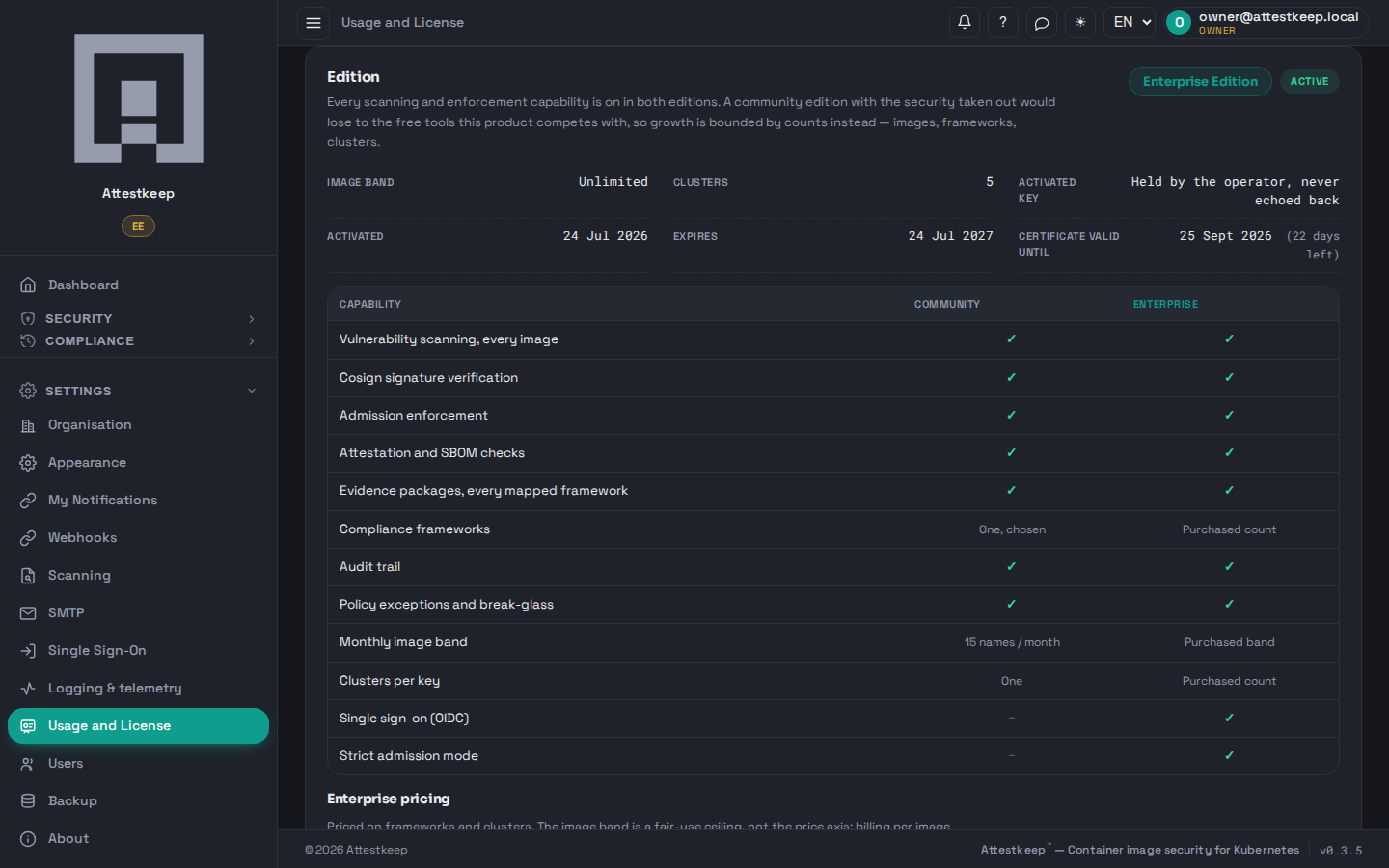
When a licence ends
When the subscription ends and the certificate runs out, when the certificate stops verifying or turns out to be bound to another cluster, or when you deactivate it, the installation carries on as Community Edition, whatever plan it had: 1 cluster, 1 framework, 10 image names a month and 1 node per cluster. Nothing is downloaded and no new certificate is issued for it; scanning, admission and evidence keep working. The Usage and Licence page and the dashboard show the Community allowance for the current month from that moment, the same numbers admission applies; earlier months keep the allowance they had. An expired certificate is kept on the cluster, because it is what a renewal presents.
Frameworks. If evidence has been generated for more frameworks than the licence now covers, the next owner or administrator to sign in is asked which to keep, up to the licence's count. Until someone chooses, none of the frameworks used is open for a new package; other users are told an administrator has to choose. The frameworks not kept close for new packages, and every package already generated stays downloadable. The choice holds until the licence changes plan or framework count, and it is written to the audit log.
Cluster slots
Each activation holds a slot until it is released. You release one yourself, from your licences page — deleting a cluster should not mean opening a support ticket to reuse the slot you paid for.
A released slot is free immediately, and the installation that was holding it drops out at its next daily check.
The console can hand a licence back too: Deactivate on the Usage and Licence page, behind a confirmation. On the online path it gives the cluster's slot back. On the offline path it deletes the certificate from the cluster and leaves the slot for Attestkeep support to release, because an offline cluster never calls back to say it is done.
Reinstalling into the same cluster does not spend a second slot: the fingerprint is the same, so the existing slot is handed back. If you have run out, the error names the clusters that are holding your slots and when each one activated, so you can decide which to release rather than guess.
What the key does not do
The activation key is not a password and it does not authenticate a person. It does mean that anyone holding it can spend one of your cluster slots, so treat it the way you would treat a registry pull secret.