Using the console
What each screen does, in the order you meet them. The screenshots are the real console; your own numbers will differ.
The security overview
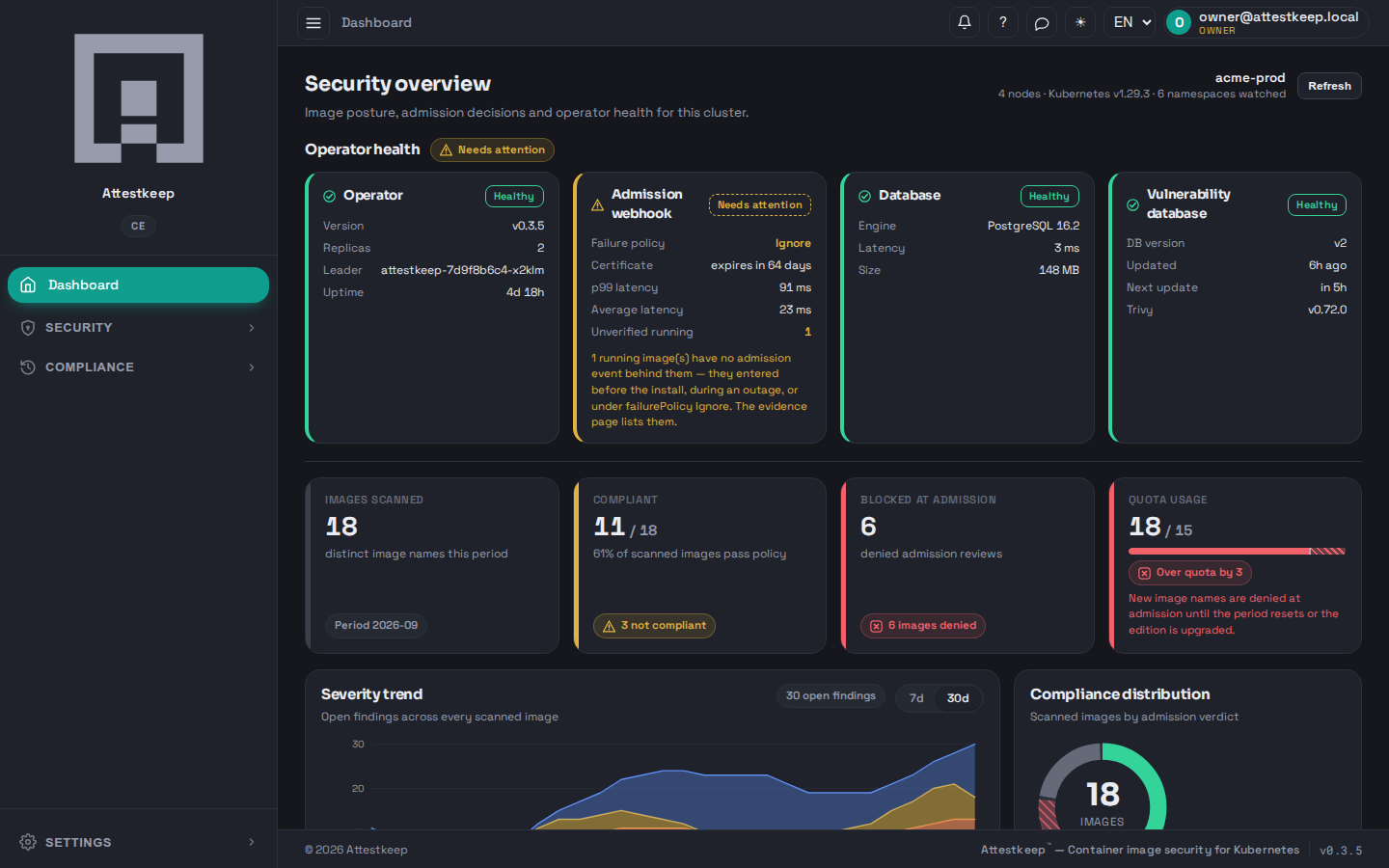
The dashboard is the posture of one cluster at a glance: operator health, the admission webhook's state, the database, and the vulnerability feed — then the counts that matter, image coverage, what was blocked, where you stand against your monthly image band, and the cluster's Ready nodes against its node ceiling. The vulnerability tile shows when the database Trivy ships was built and when the scanner last checked for a newer one; it checks every six hours on its own, and an administrator can press Update now to have it download at once and say whether anything changed. The admissions table below lists the most recent refusals.
Policies — what admission allows
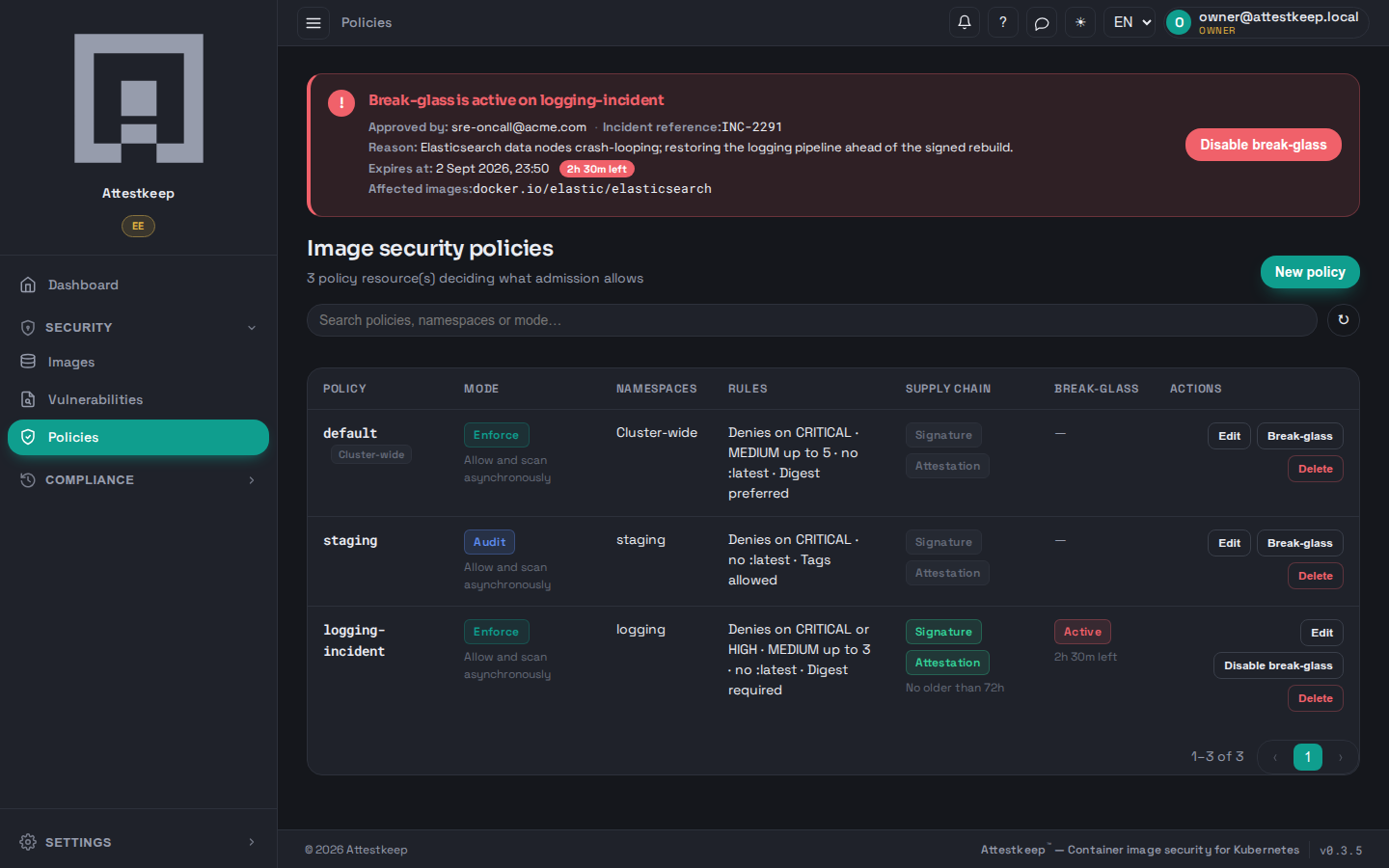
A policy is the rule admission applies: which severities deny, whether a signature and an attestation are required, whether :latest and floating tags are allowed, and whether the whole policy runs in enforce (deny for real) or audit (record what it would have denied, deny nothing). One policy is the cluster-wide default; others bind to a namespace. The list is the whole rule set at a glance.
Every row also has What if. For a policy in audit mode it opens the editor with the draft switched to enforce and replays the last thirty days at once, so the answer to "what would enforcing this stop" is one click away; for a policy already enforcing it replays the policy as it stands, which shows the admissions that would be refused today because their scan results have changed. Nothing is applied. Every replay is kept for ninety days and listed under Security › What-if history, where it can be viewed again, downloaded as a PDF or JSON projection, or re-opened in the editor with Apply this draft. The details are on Try a policy before enforcing it. Leaving the editor with unsaved changes asks before discarding them.
Images — one state per image
The Images page sorts every image into exactly one of four states, so the tiles add up to the list: Blocked (its last admission was refused), Unscanned (admitted, no scan record yet), Compliant (admitted, scanned, within the policy) and Not compliant (admitted and scanned but outside the policy — typically under an audit-mode policy or a break-glass window). When more than one applies, the first in that order wins; the filter and the tiles use the same rule.
Vulnerabilities
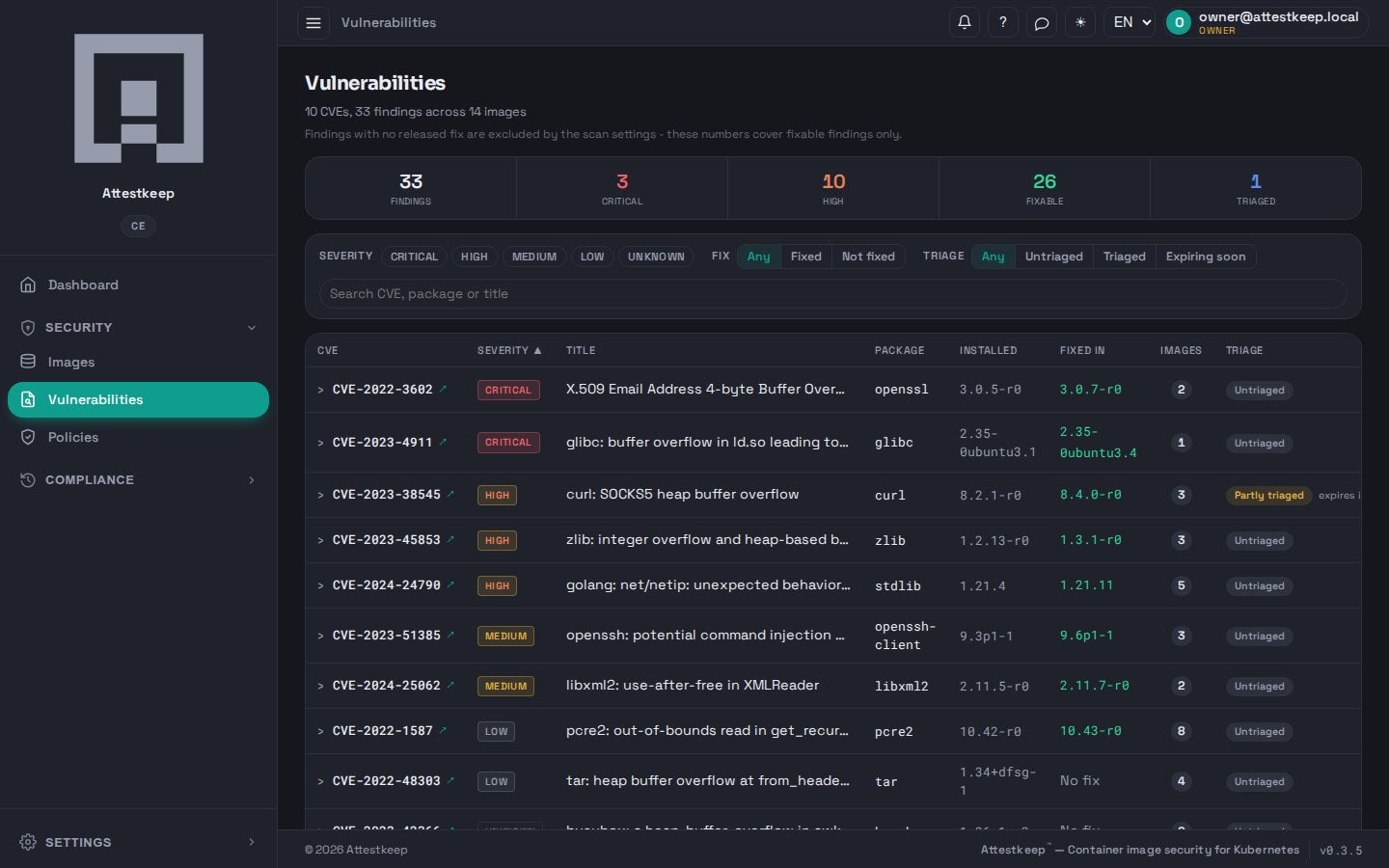
Every finding across your images, grouped by CVE, with the installed and fixed versions side by side and how many images each affects. The filters narrow by severity, by whether a fix exists, and by triage state, so a view like "critical, fixable, untriaged" is three filters, not a scroll through everything. The list is read 25 CVEs at a time: the filters, the search and the sort run in the operator, and the counts above the table cover every finding. The images list works the same way.
Triaging a finding
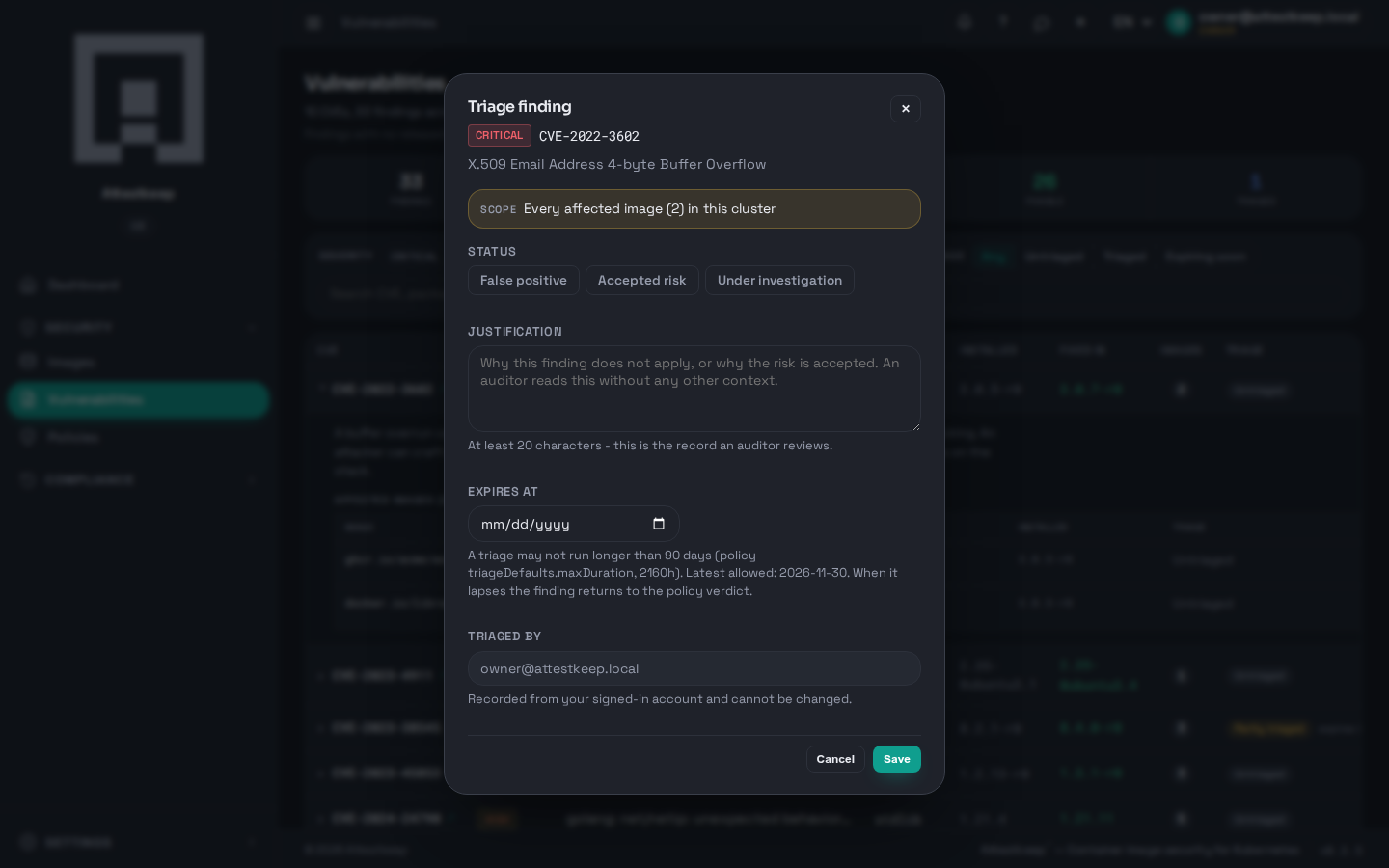
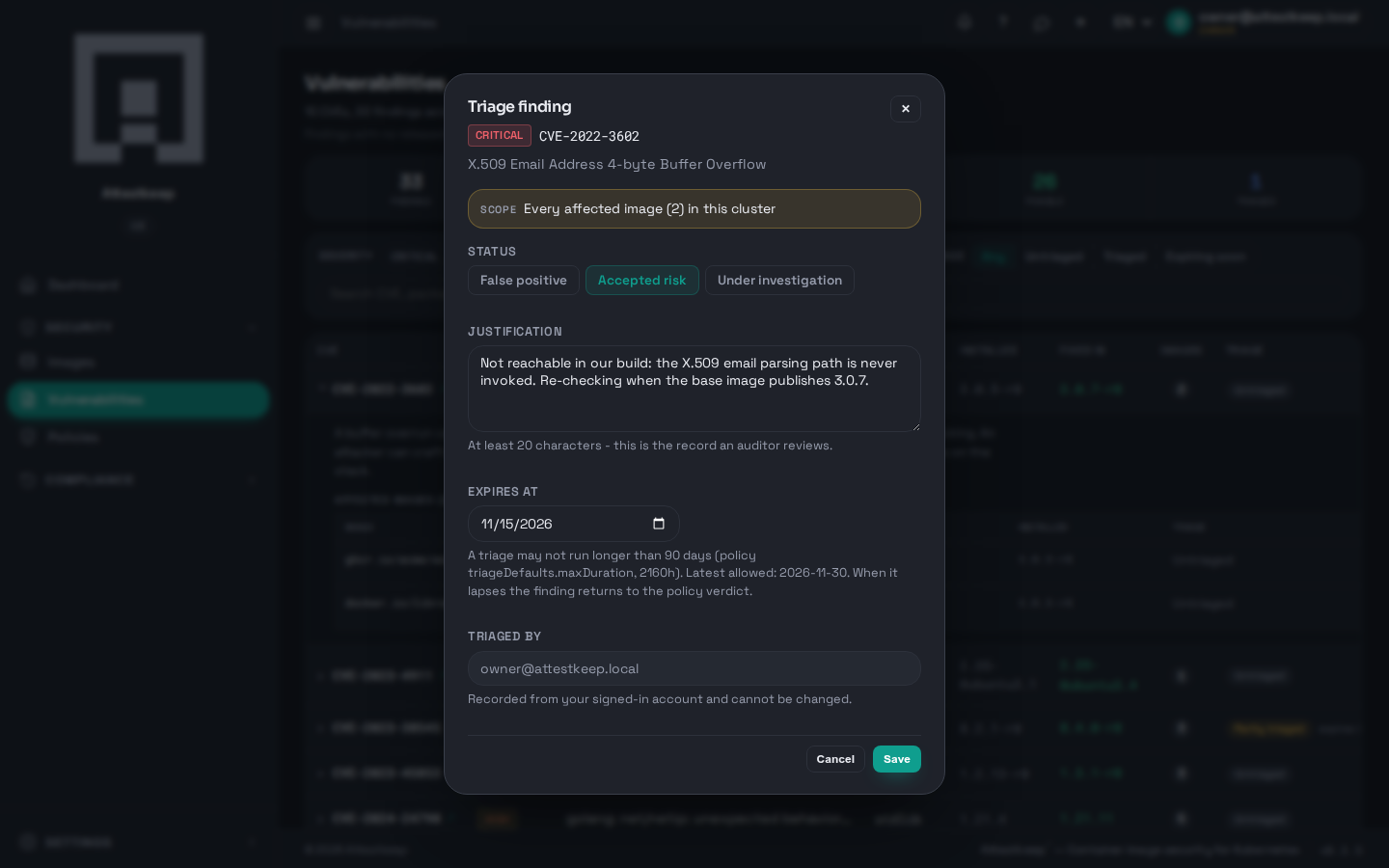
A finding you have assessed does not have to keep blocking or keep nagging. Expand a CVE and open Triage. A triage decision is a record an auditor reads, so it is deliberately not a silent mute:
- Choose the status — false positive, accepted risk, or under investigation.
- Write a justification. It is required, and it has to be long enough to actually say something.
- Set an expiry. A triage cannot run forever — when it lapses, the finding returns to the policy verdict on its own.
Evidence packages
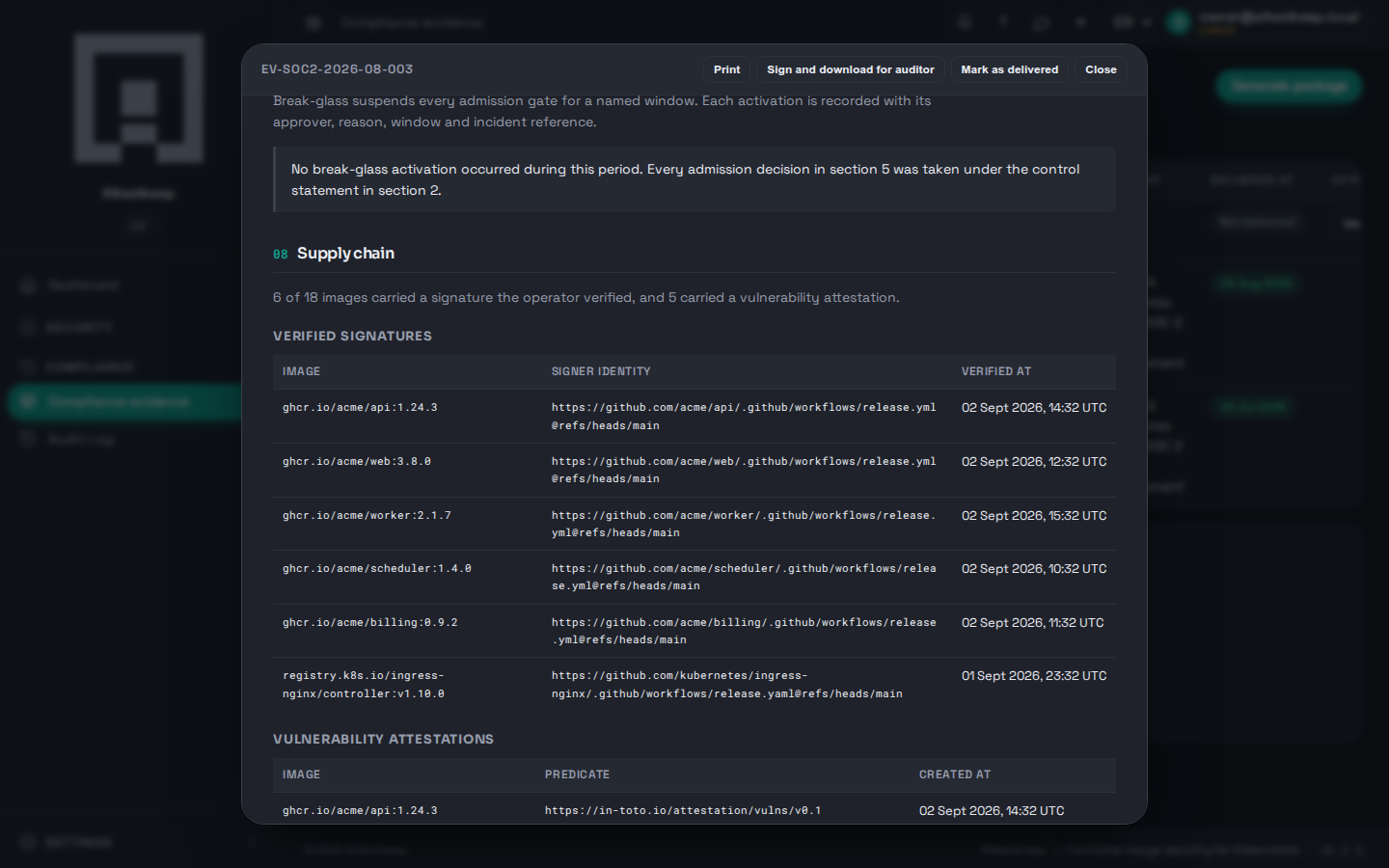
Day-to-day scanning is one thing; the record you hand an external auditor is another. An evidence package is one consolidated, signed document per audit period, generated inside the cluster and verifiable by the auditor with their own tools.
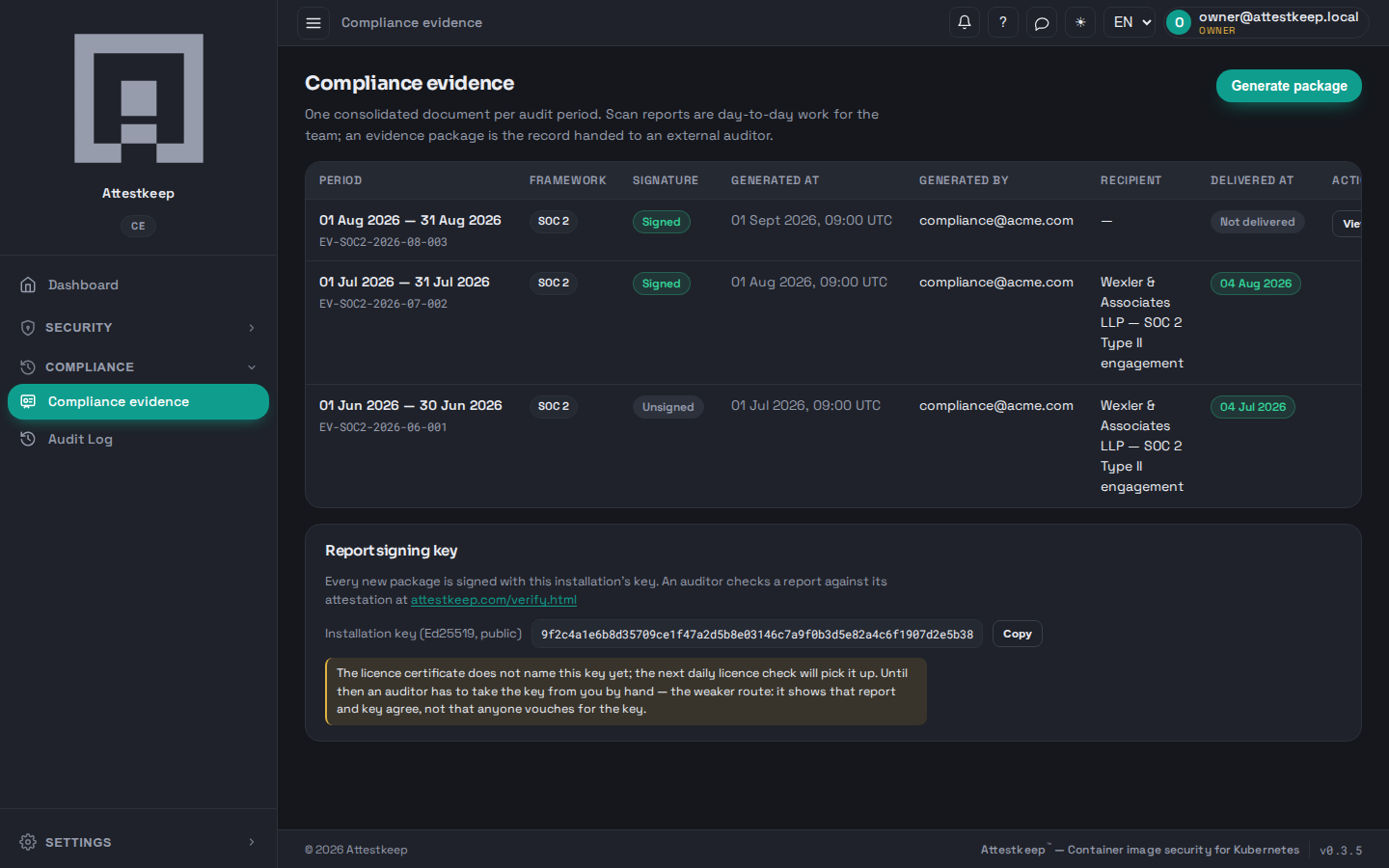
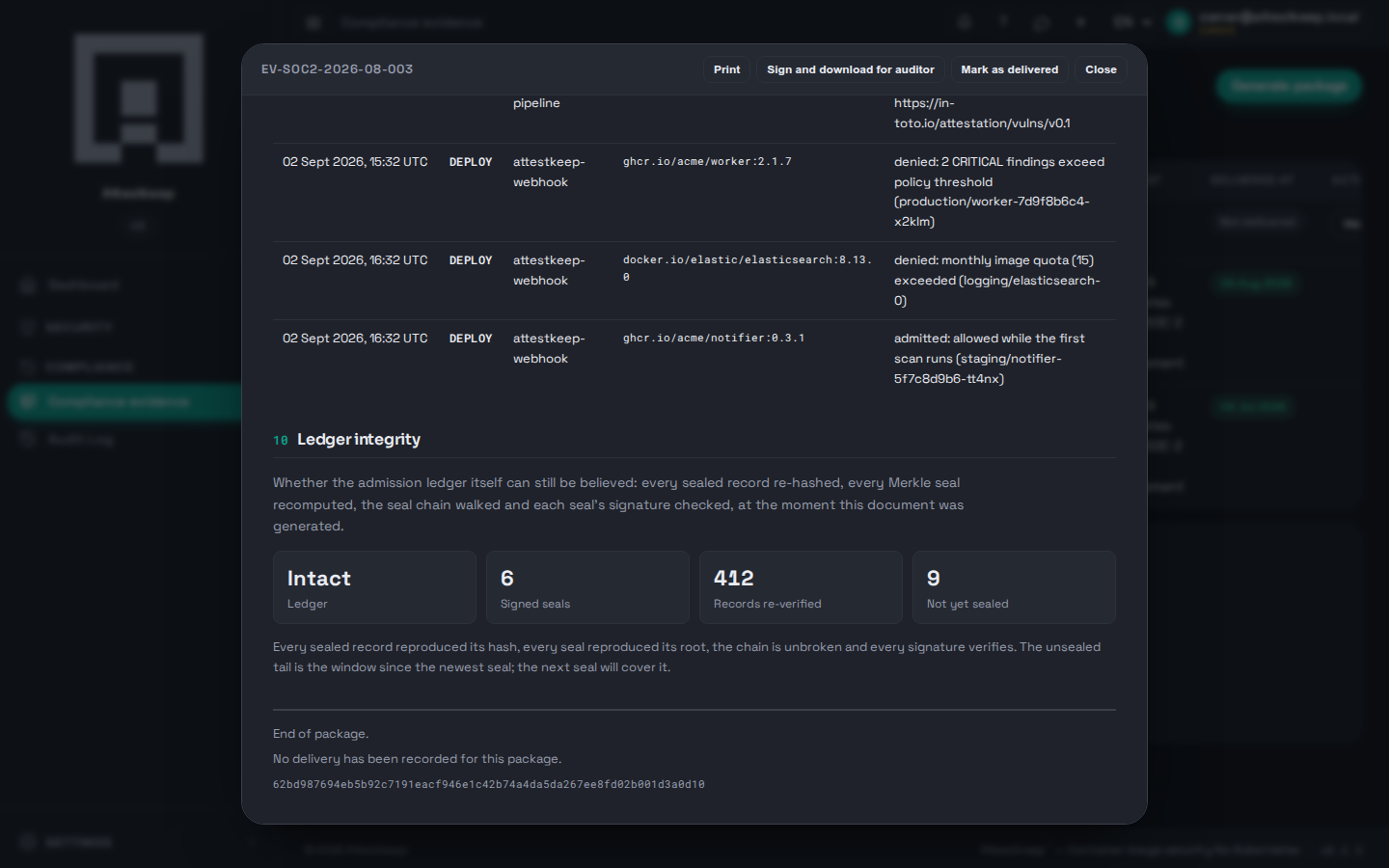
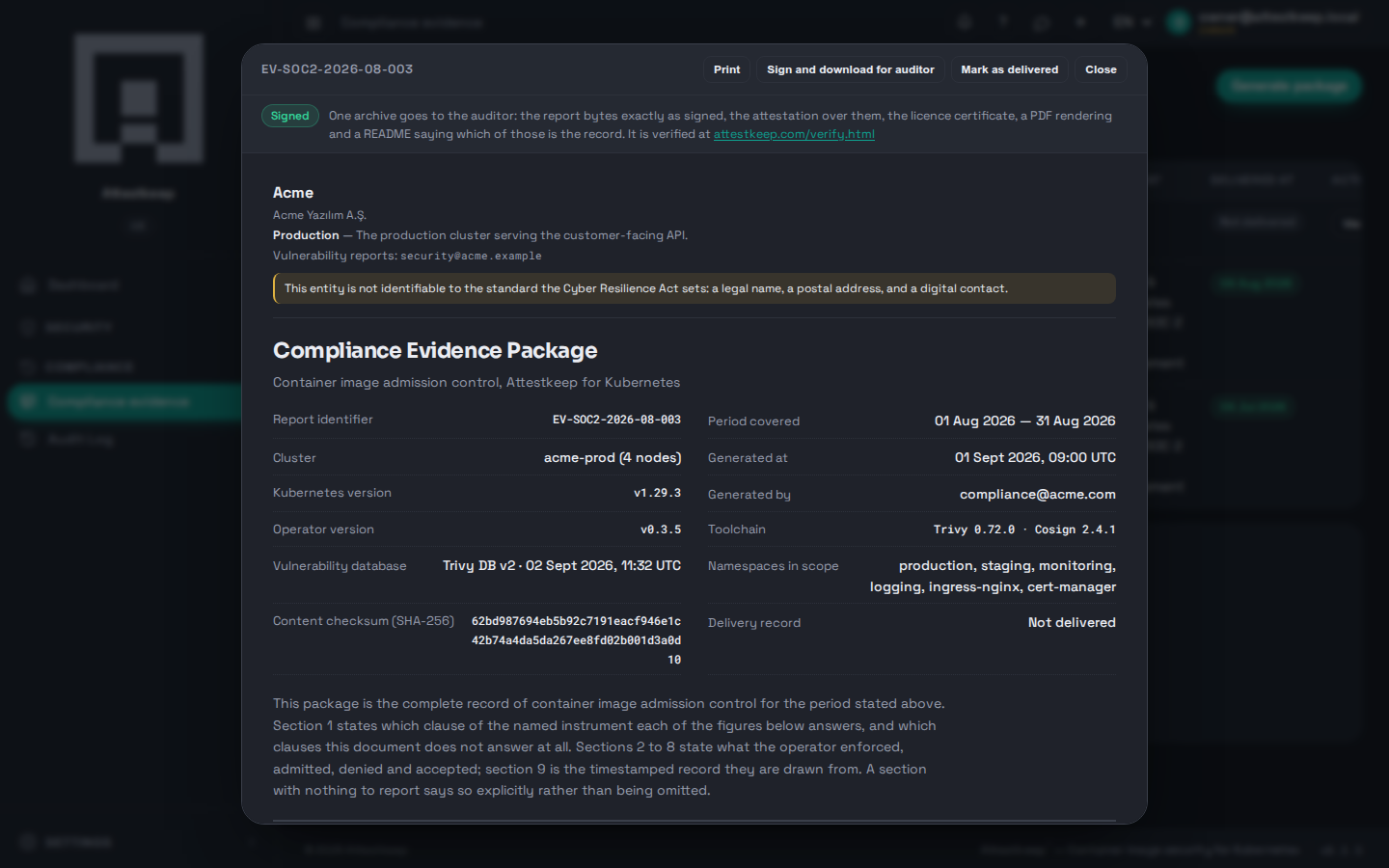
Open one and the whole document is there: the control statement, scan coverage, the compliance outcome clause by clause, admission decisions with their reasons, triage and break-glass usage, the supply chain, and the evidence chain.
Every break-glass override is on the record too — who forced a deployment through, when, and why — because the moment a control is bypassed is exactly the moment an auditor wants named.
Ledger integrity — can the record itself be believed
The last section answers the question a careful auditor asks about any audit trail: how do you know these records were not edited after the fact? Every admission decision is hashed when it is written and sealed under signed, chained checkpoints. The report re-verifies the whole ledger at the moment it is generated — every sealed record re-hashed, every seal's signature checked, the chain walked — and states the result.